Home › Setup Guides › Install IPTV on your Amazon Fire TV Stick
Setting up IPTV on your Firestick is straightforward – install an IPTV app and enter your subscription details. This guide walks you through every step using IPTV Smarters Pro, the most popular and reliable IPTV player available.
Recommended IPTV Players
- IPTV Smarters Pro
- Downloader Code: 78522
- Free version available
- Excellent EPG support
- TiviMate
- Downloader Code: 185194
- Premium features available
- Advanced playback options
- XCIPTV
- Downloader Code: 114407
- Multi-playlist support
- Catch-up TV feature
- HOT IPTV
- Downloader Code: 395800
- Simple interface
- Good for beginners
- IBO Player Pro
Step-by-Step Installation Guide: Setting up IPTV on your FireStick
1. Access the Downloader App
From the home screen of your device, hover over the Find option
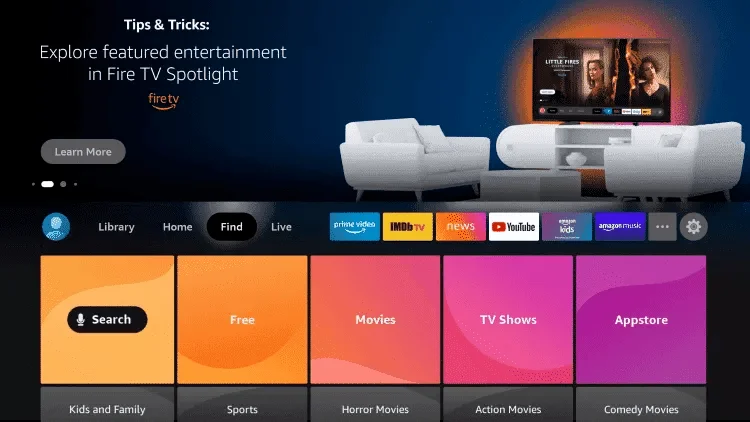
2. Click Search
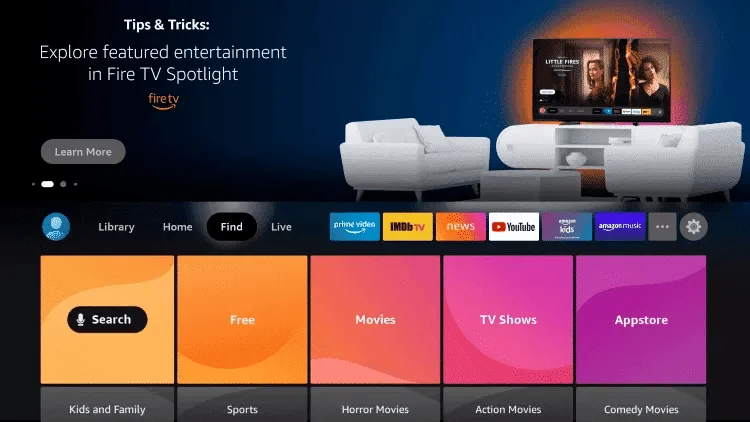
3. Search for Downloader
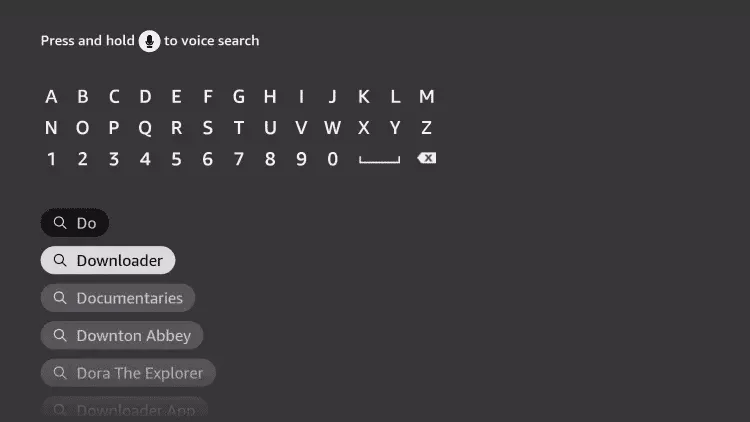
4. Select Downloader App
Choose the Downloader App
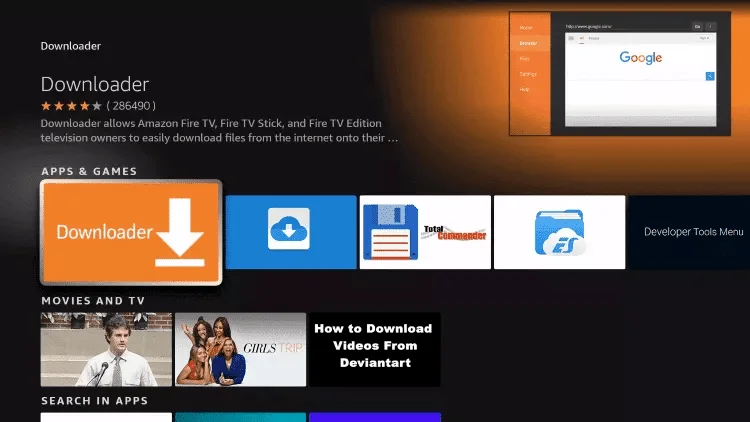
5. Download the App
Click Download
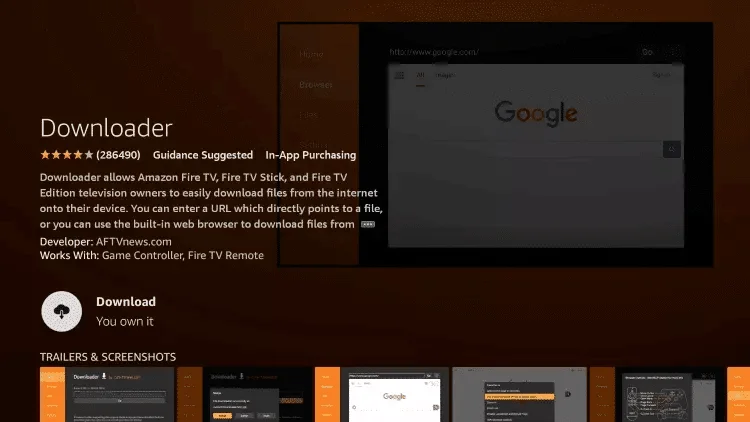
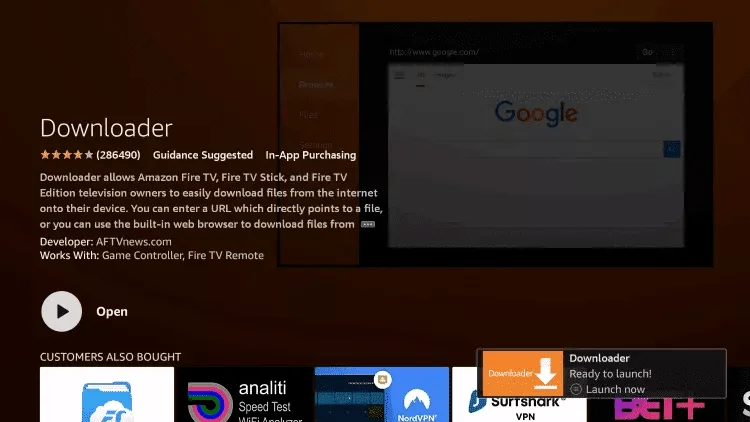
6. Open Downloader
Once installed, click Open
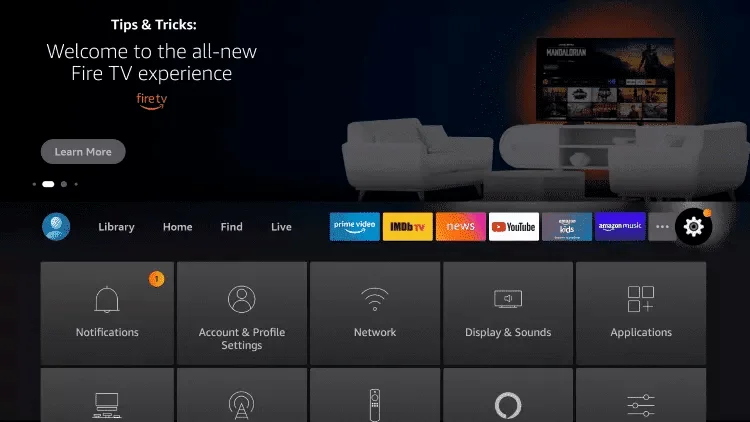
7. Access Settings
Return to the home screen and open Settings
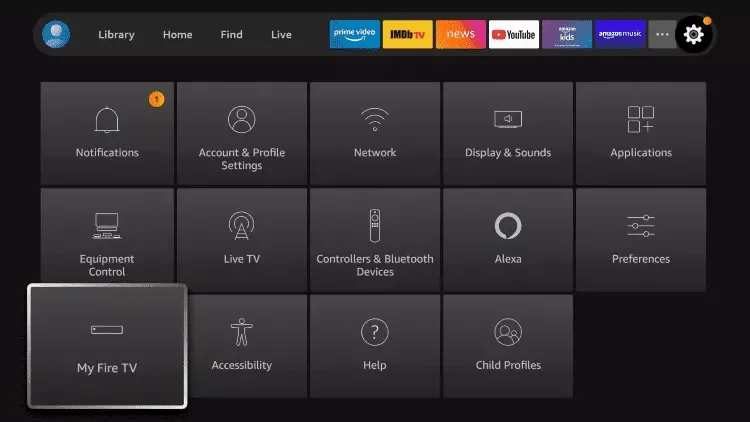
8. My Fire TV
Click My Fire TV
9. Developer Options
Select Developer options
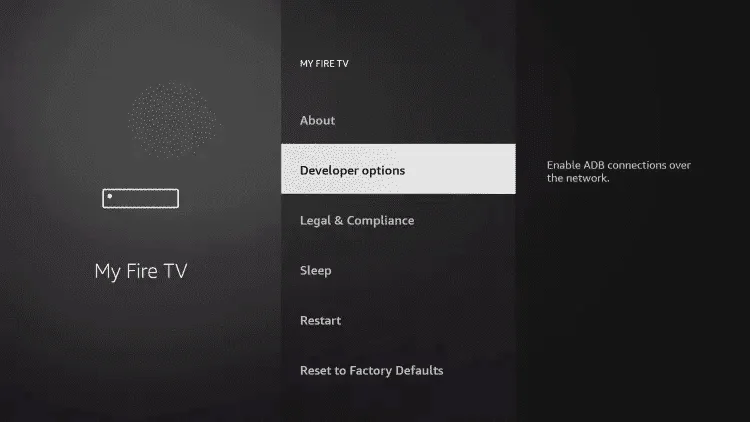
Important: If developer options aren’t visible, follow the video guide below:
10. Install Unknown Apps
Click Install unknown apps
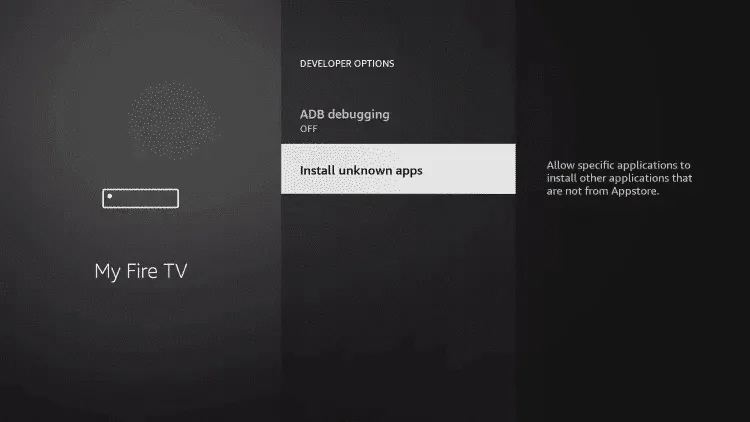
11. Enable Downloader
Find and click the Downloader app
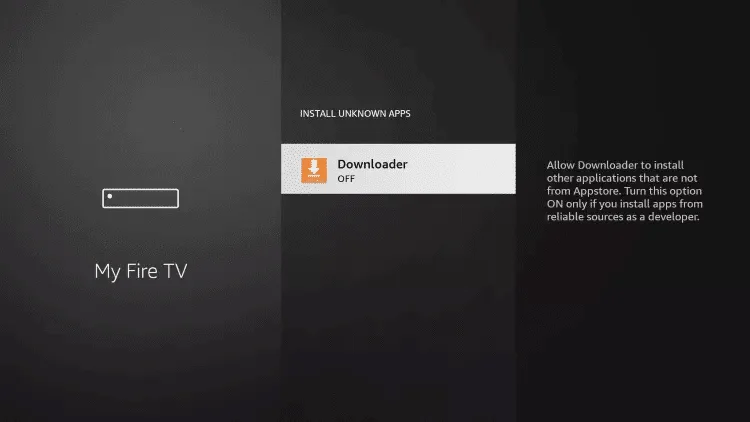
12. Unknown Sources
Turn on Unknown Sources for the Downloader app
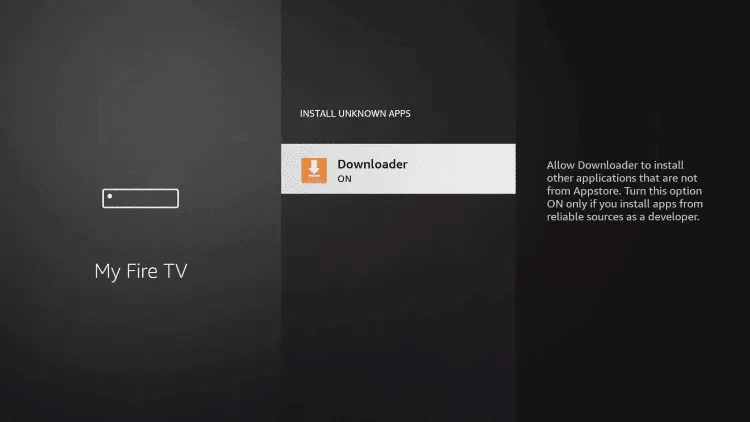
13. Launch Downloader
Open the Downloader app
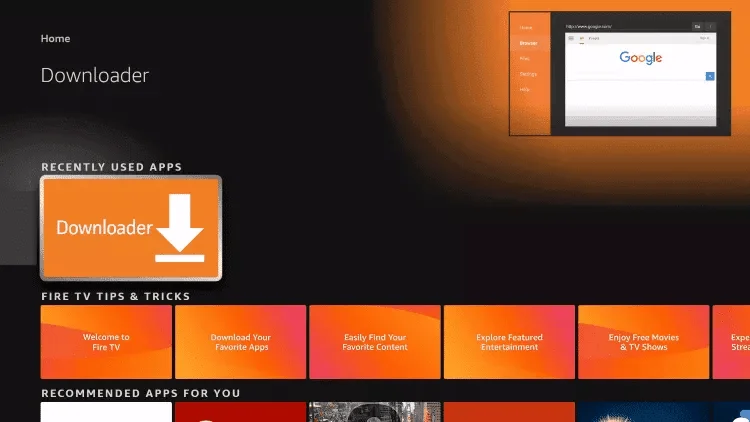
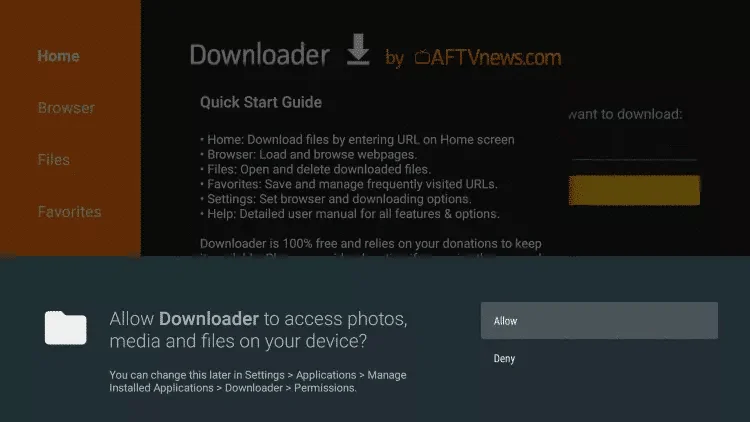
14. Allow Access
Click Allow when prompted
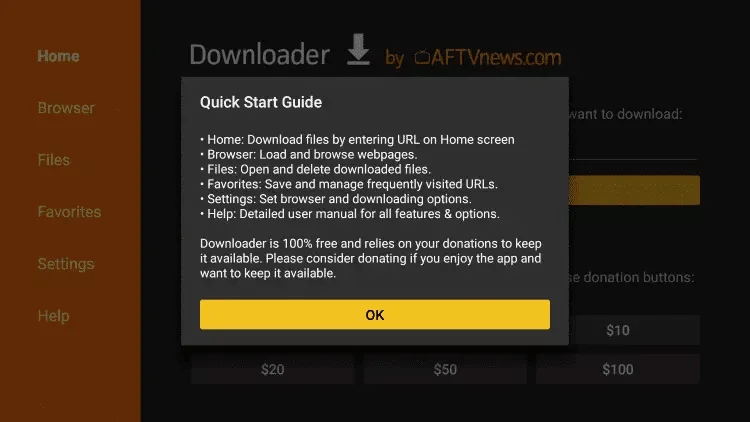
15. Quick Start Guide
Click Ok when prompted
16. Enter Code
Type one of these codes in the URL field:
- IPTV Smarters Pro – Code: 78522
- XCIPTV – Code: 114407
- TiviMate – Code: 185194
- Google Play HOT IPTV – Code: 395800
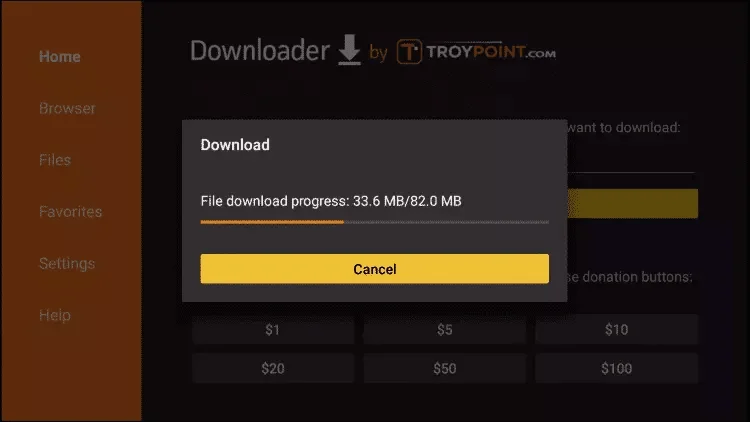
17. Download Progress
Wait for the file to download
18. Install App
Click Install
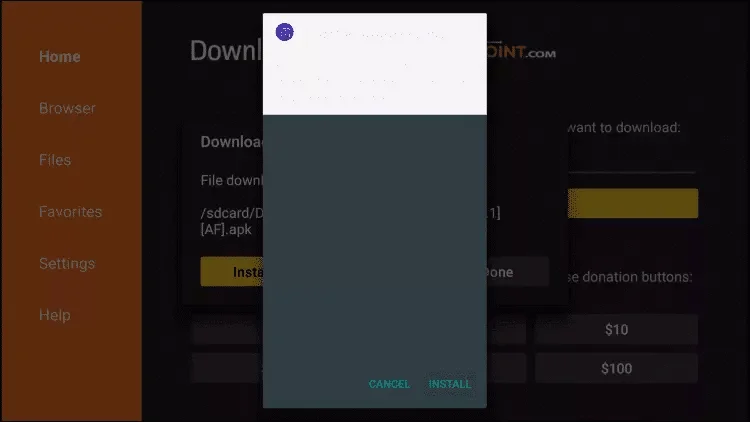
19. Complete Installation
Click Done
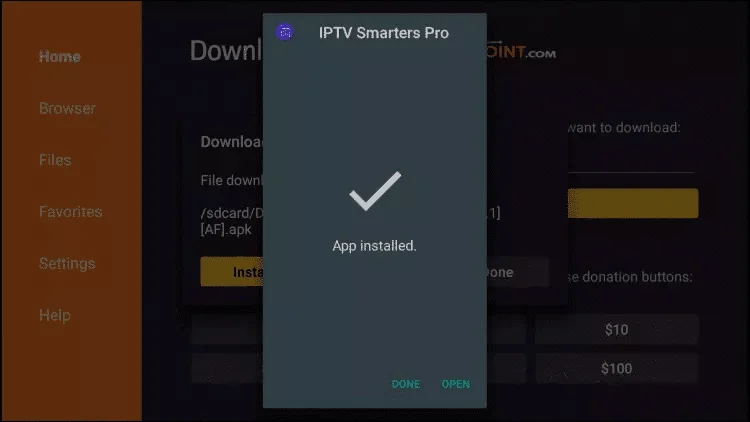
20. Configure IPTV
Open the app and select Xtream Codes API
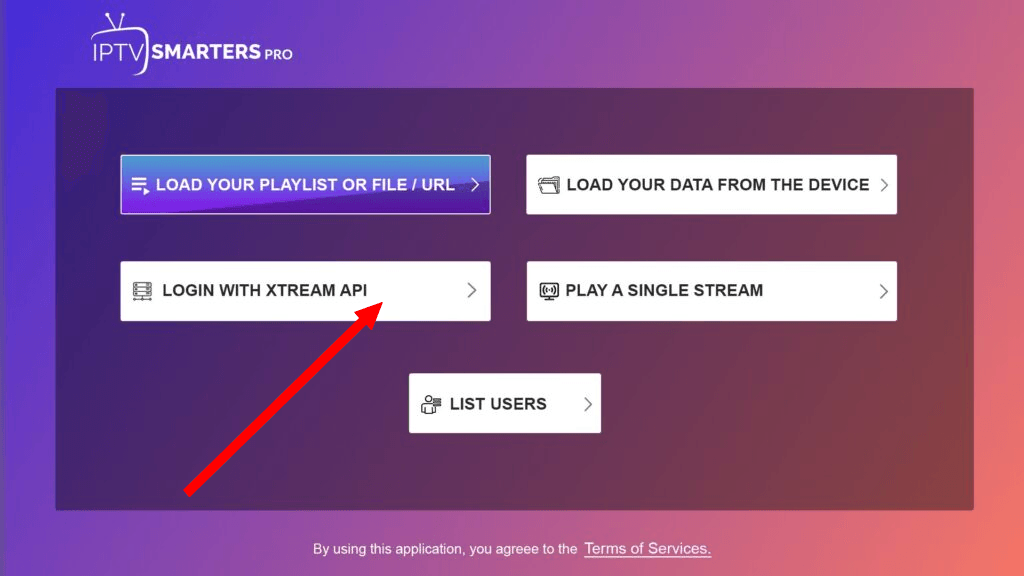
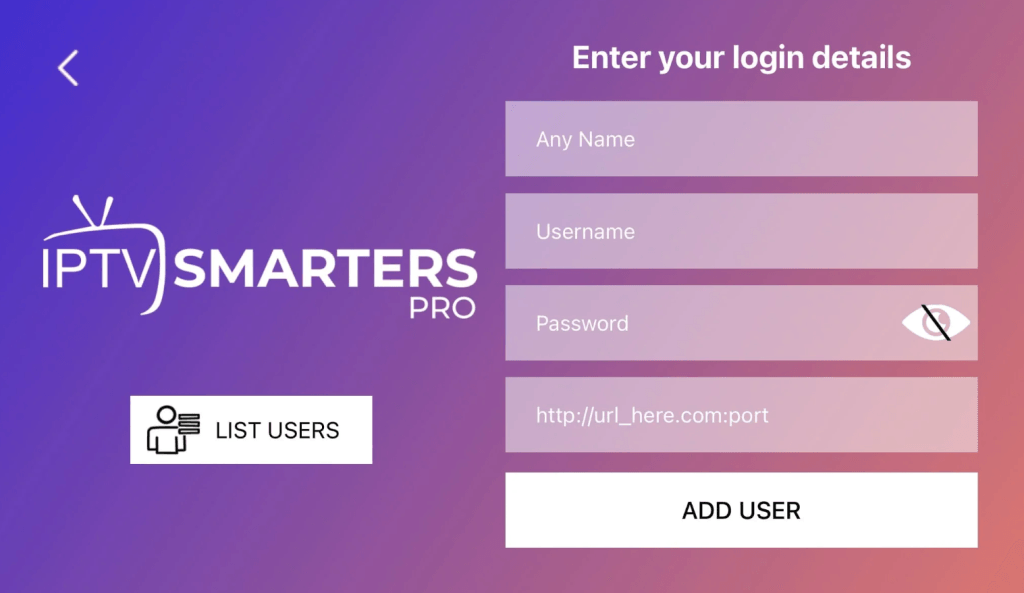
Enter Your IPTV Access Information
- Name: Any name (doesn’t matter)
- Username: Your subscription username
- Password: Your subscription password
- Server URL: Your server address (starts with http://)
Troubleshooting Set up IPTV on FireStick
If you see “Authorization Failed”:
- Double-check all credentials
- Verify the server URL begins with http://
- Turn off the VPN if it is active
- Contact support if issues persist
Ready to start watching?
Try Nartiel8k free for 24 hours, or pick the plan that fits your household.
Start Free TrialSee Plans